
Audit Overview
Your store's untapped revenue potential — and how to unlock it
Why We Created This Audit
We analyzed https://veeba.in the same way we've audited 350+ e-commerce stores — looking for the specific gaps between your current experience and what top-performing Food & Beverage stores deliver. Every finding in this report is a revenue opportunity backed by industry data and competitive benchmarks.
What We Analyzed
- UX & Conversion Design13 findings
- Technology & App StackPlatform + 11 apps
- Industry BenchmarksFood & Beverage
Pages Analyzed
- Homepage2 findings
- Collection Pages2 findings
- Product Pages (PDP)6 findings
- Cart & Checkout3 findings
 This audit was prepared by Growisto — a CRO-led Website development team behind 167% conversion growth for Atomberg, 46% CR lift for TyresNmore, and 350+ e-commerce projects.
UX & Conversion Findings
Page-by-page analysis with visual comparisons against top Food & Beverage stores
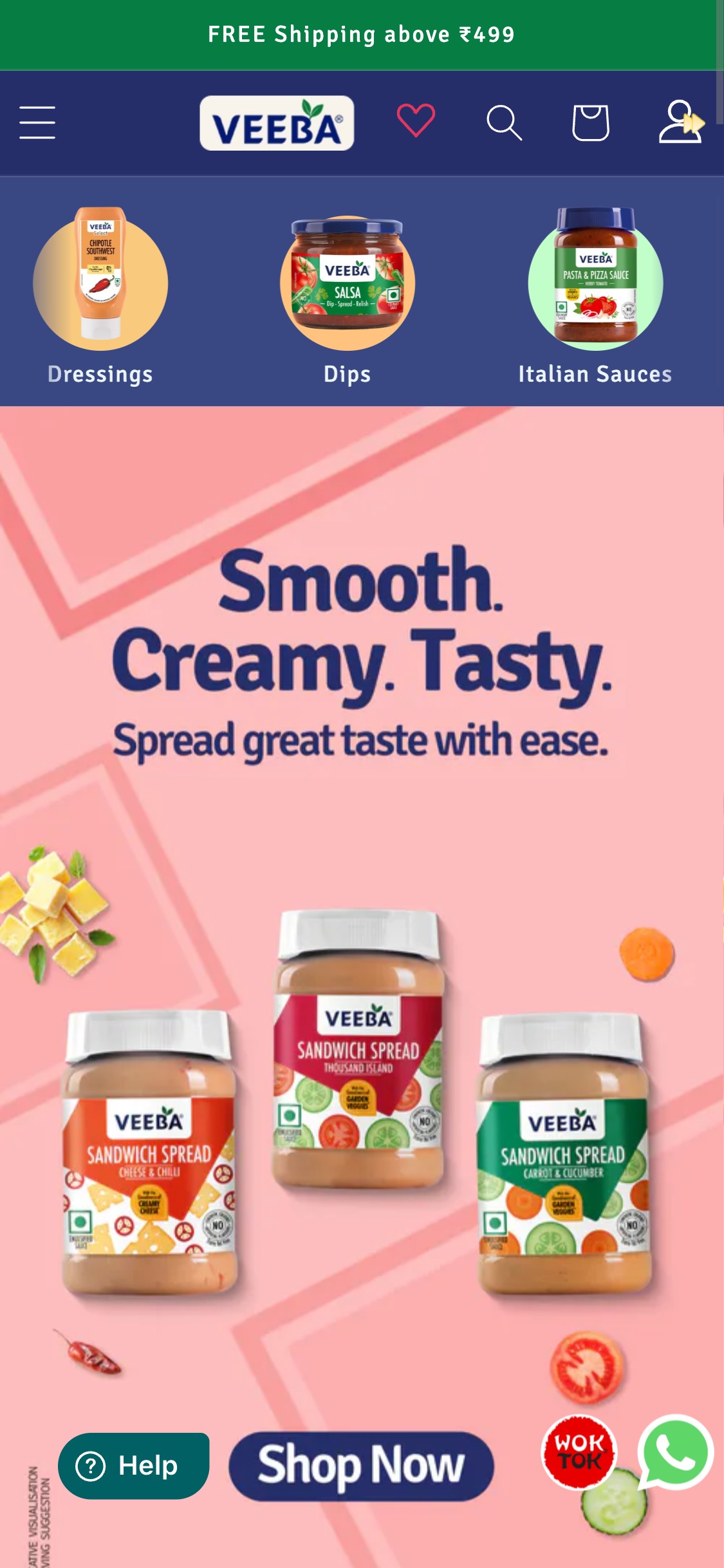
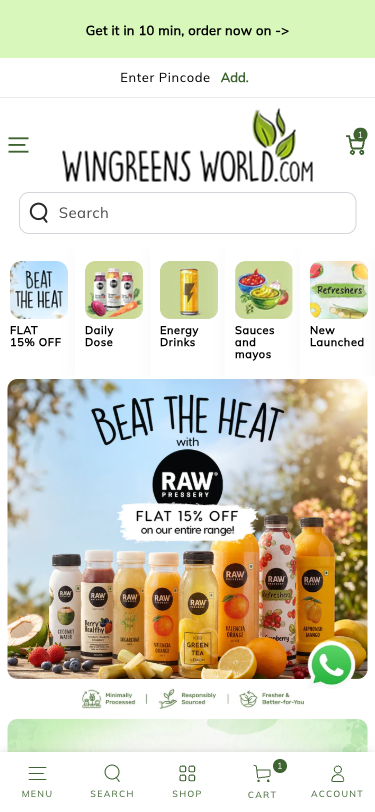
- Veeba's hero is a multi-slide image carousel showing product imagery with text overlays ('Smooth. Creamy. Tasty. Spread great taste with ease.')
- Each slide has a single generic 'Shop Now' button — no offer text, no category specificity, no first-time-visitor incentive
- The hero has no headline that communicates Veeba's core differentiation (no preservatives, no artificial colours, globally inspired)
- Best-in-class F&B heroes link to a specific collection, highlight a time-bound offer, or call out a key USP — Veeba's hero misses all three
- A 'Shop Now' with no context has lower click-through than 'Shop Dressings' or 'Get 15% Off Your First Order' with a countdown
- Test at least one hero slide that calls out Veeba's health differentiation — 'No Preservatives. No Artificial Colours. Just Great Taste.' with a CTA to the health-forward collection
- Add a first-time-visitor offer slide with a specific discount code and urgency (e.g., 'First Order: 15% Off — Use VEEBA15')
- Consider linking hero CTAs to the highest-margin or fastest-moving categories rather than generic /shop
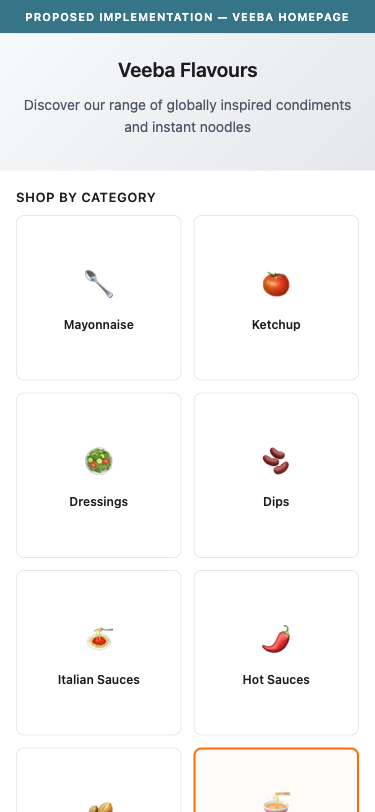
- Wok Tok (Veeba's instant noodles sub-brand) is accessible only via a small orange circular floating button overlaid on the bottom-right of every page
- The main navigation, homepage hero, and category circles do not include Wok Tok as a distinct section — it is not merchandised alongside Mayonnaise, Ketchup, Dressings, etc.
- The floating Wok Tok button competes visually with the WhatsApp button — both are at the same bottom-right corner, creating visual clutter
- Instant noodles represent a different purchase occasion and audience than sauces/condiments — a dedicated section or banner would improve discovery and cross-sell
- The homepage scrolls through New Arrivals, Combos, and Bestsellers without a dedicated Wok Tok section despite it being a separate branded product line
- Add Wok Tok as a distinct row in the homepage category grid alongside Dressings, Dips, Italian Sauces
- Consider a dedicated homepage banner for Wok Tok — 'Discover Wok Tok: Flavour-First Instant Noodles' — especially during the Korean food trend wave
- Remove or reposition the floating Wok Tok button; replace it with in-page merchandising that does not compete with the WhatsApp support button
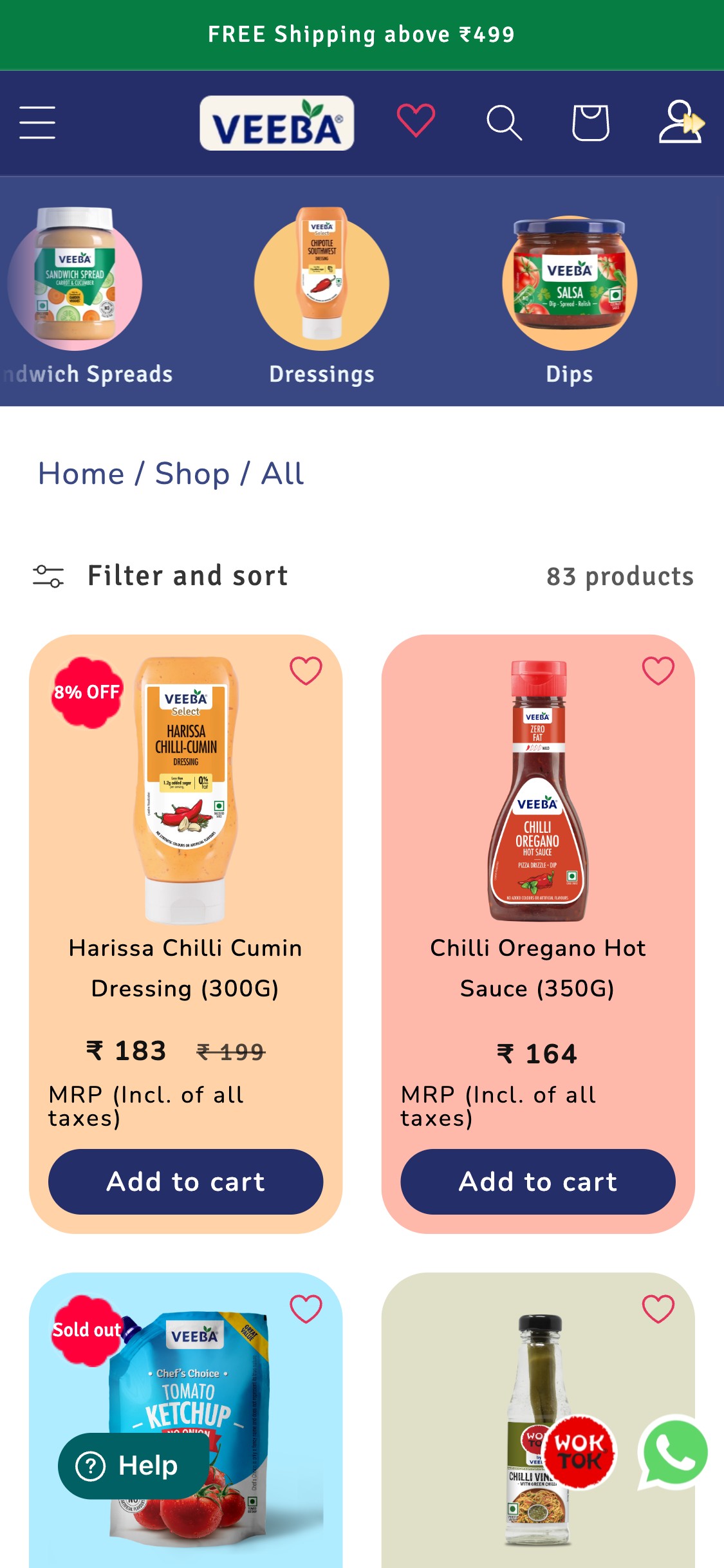
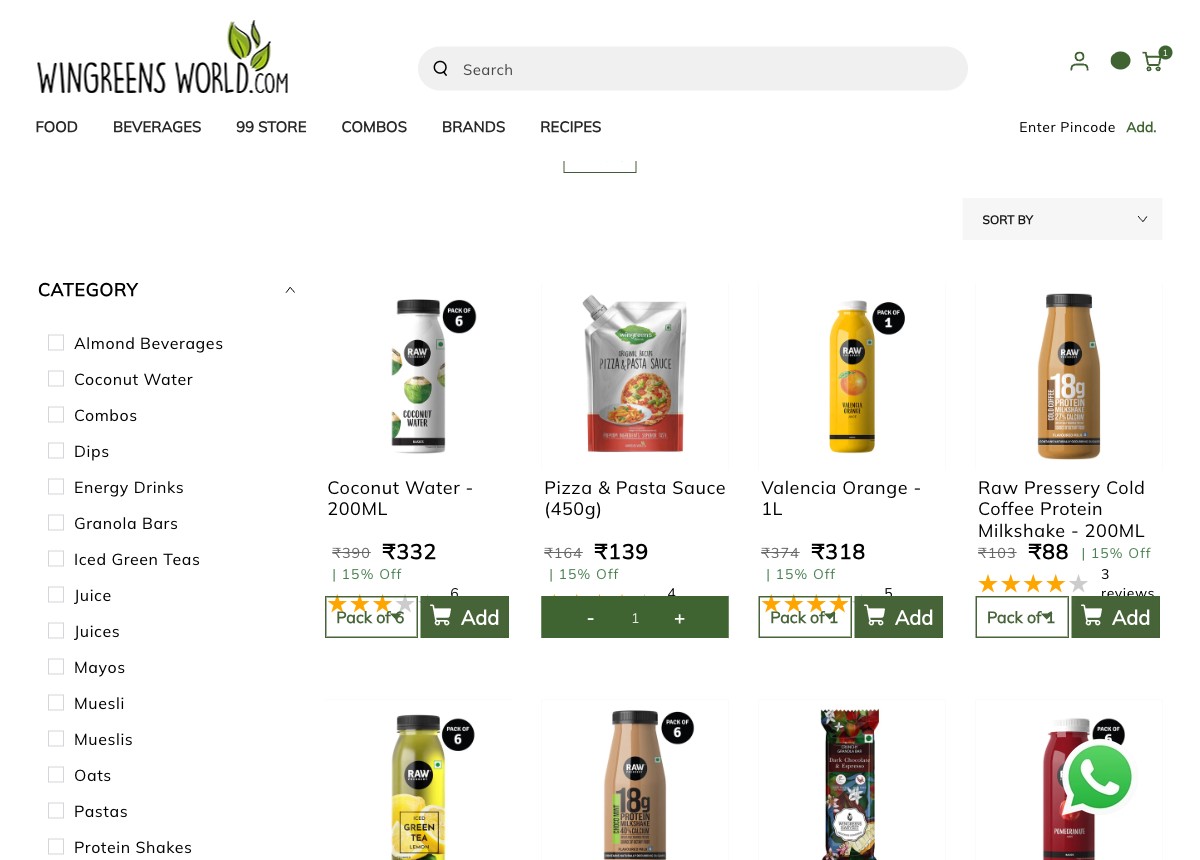
- Veeba's collection cards show: product image, title, price (with MRP strikethrough where discounted), 'Add to cart' button, and a discount badge (e.g., '8% OFF')
- No star ratings or review counts appear on any product card — shoppers cannot compare product quality while browsing
- With 83 products across 8+ categories, social proof on cards helps users navigate toward trusted products faster
- The absence of ratings creates a flat browsing experience — all products appear equally credible regardless of review volume
- Judge.me is installed and review data exists (tested PDP shows 3 reviews) — ratings could be surfaced on cards with a theme change
- Enable Judge.me's collection page star widgets — this is a configuration change, not a development task
- Show star rating + review count below each product title on collection and homepage product cards
- Prioritize products with 10+ reviews in collection sort order by default, or flag them with a 'Top Rated' badge
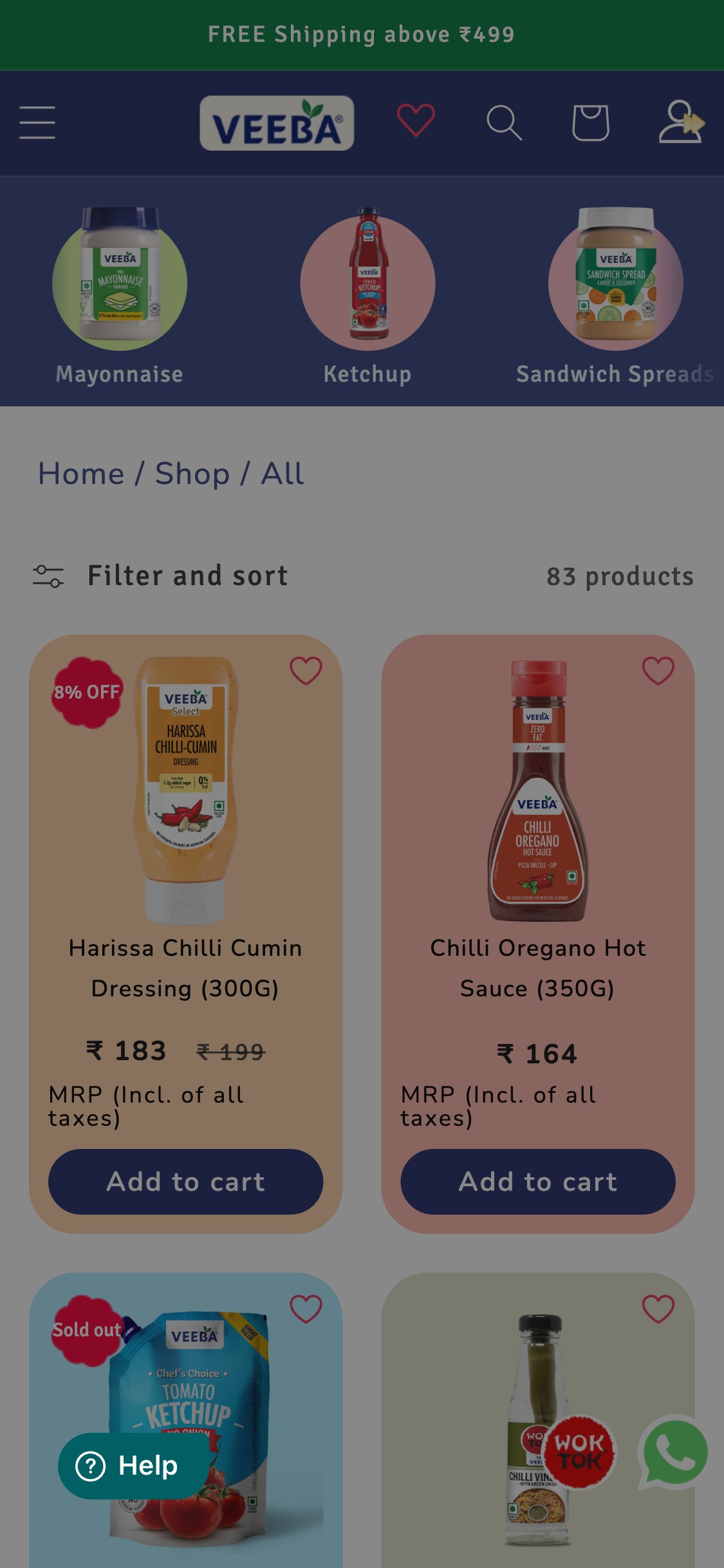
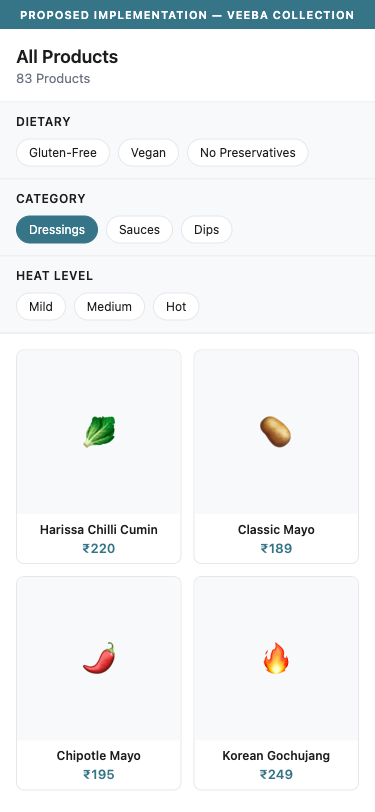
- The collection page shows 'Filter and sort' with a controls icon — tapping reveals sort options but no dietary, allergen, or category-specific filters
- Veeba's products carry meaningful health differentiators: gluten-free, no preservatives, no artificial colours, trans-fat free, vegan options — none of these are filterable
- For an 83-product catalog spanning 8+ categories, dietary filters are essential for health-conscious users who know what they want (gluten-free OR vegan) but cannot narrow down
- Indian F&B shoppers increasingly filter by dietary restrictions — Jain, vegan, gluten-intolerant audiences exist in Veeba's target market
- Benchmark context: dietary/allergen filters are flagged as FB-03 industry supplement — critical for F&B brands with health positioning
- Add Shopify metafield-based filters: 'Dietary' (Gluten-Free, Vegan, No Preservatives), 'Category' (Dressings, Dips, Spreads), 'Heat Level' (Mild, Medium, Hot) for sauces
- Surface the most popular filter tags as pill filters at the top of the collection page for one-tap filtering
- Use Shopify's native Search & Discovery app (free) to add faceted filtering without a paid app
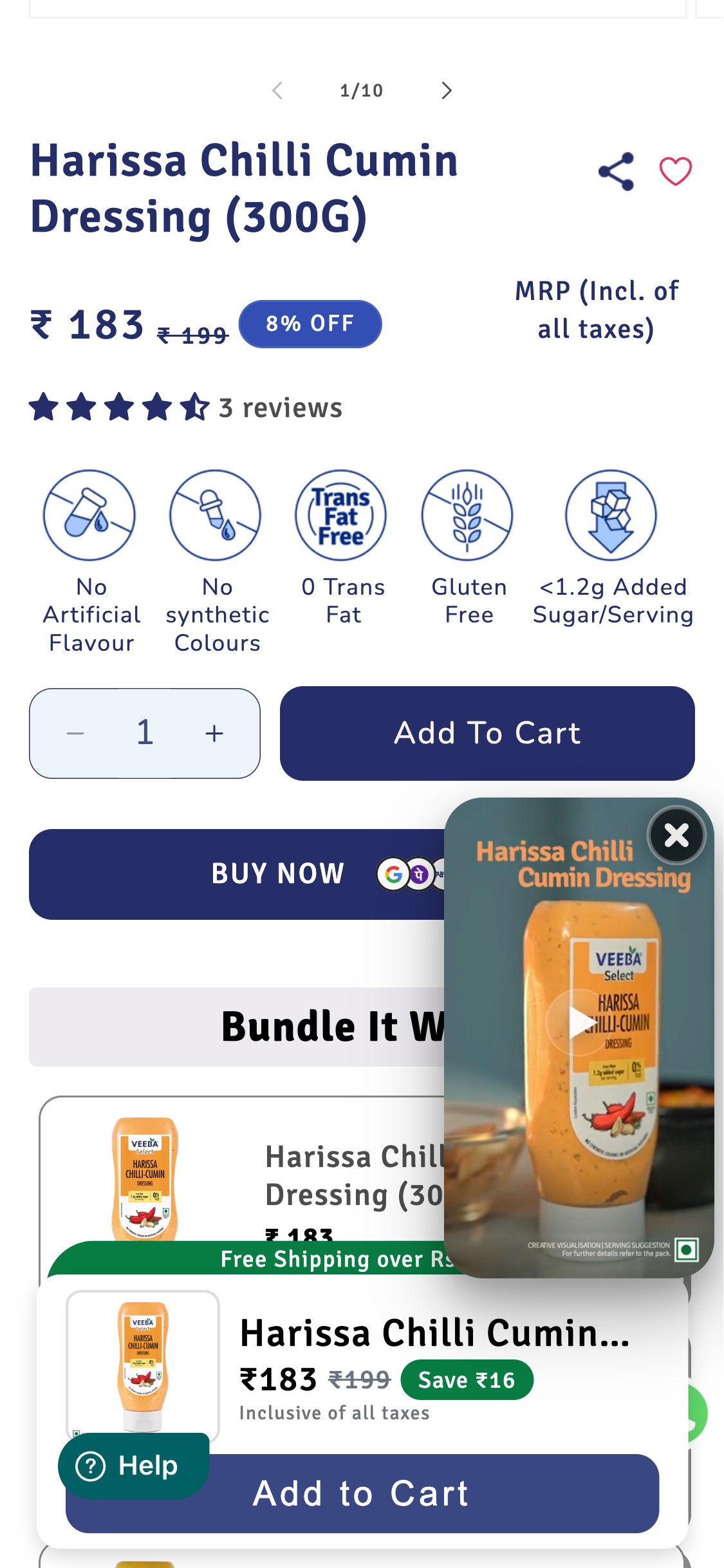
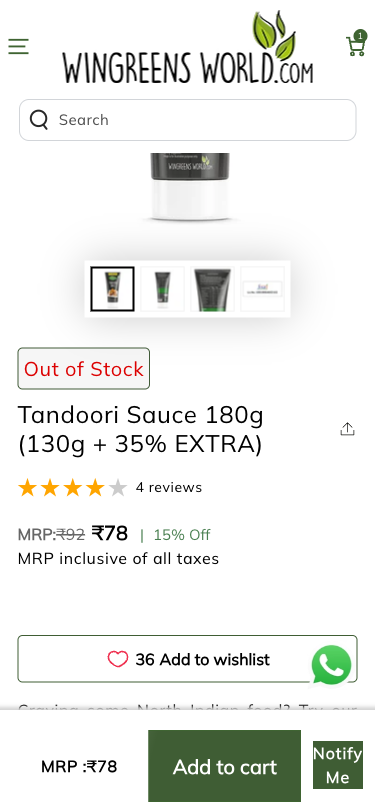
- On the tested product (Harissa Chilli Cumin Dressing 300G), star ratings appear BELOW: announcement bar, category nav, breadcrumb, product image gallery (10 images tall), product title, and price — requiring significant scroll before any social proof is visible
- The initial viewport (above the fold on 375x812 mobile) shows: product image, breadcrumb, title, price with discount badge — no star rating visible
- Industry benchmark: PDP-01 pass criterion requires ratings visible within the first screenful or immediately below the product title. Veeba FAILs this criterion.
- Only 3 total reviews are shown on the tested product — with a 4.5-star average, the low review count may actually reduce confidence ('only 3 people reviewed this')
- Athletic Brewing shows 4.82★ from 2,449 reviews above the fold — the contrast in social proof volume is stark
- Move star ratings to immediately below the product title — before price — following the industry standard title → rating → price layout
- Run a review collection campaign: email post-purchase review requests via Judge.me with a 10% next-order discount incentive to build review volume rapidly
- Display aggregate review count site-wide in the header ('4.5★ from 2,000+ happy customers') while per-product reviews scale up
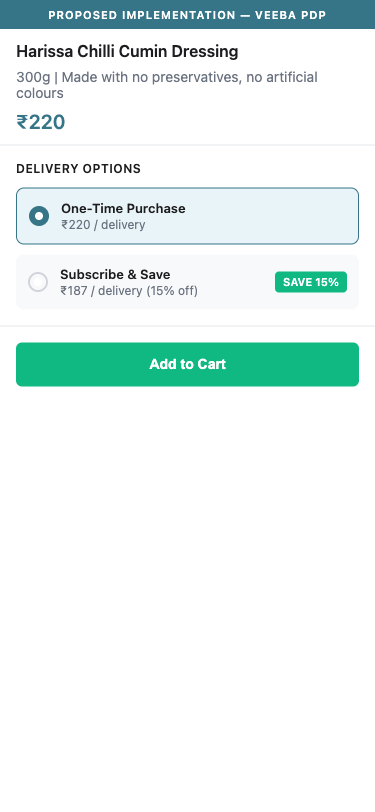
- No subscription toggle, recurring order option, or 'Subscribe & Save' module appears anywhere on the tested PDP (Harissa Chilli Cumin Dressing 300G) or any other tested product
- Veeba sells consumable condiments (mayonnaise, ketchup, dressings, hot sauces) and instant noodles — these are monthly repurchase categories by nature
- Subscription modules increase LTV by 40–60% (repeat purchase at a discount vs. acquiring a new customer each cycle) and significantly reduce paid acquisition dependency
- Benchmark: 5/10 top F&B stores have subscription modules. Athletic Brewing offers a 3-tier model. India store Blue Tokai has it — Veeba does not.
- Veeba's price range (₹15–₹289) makes subscription bundles attractive — a 'monthly condiment bundle' at ₹799 with 15% off would drive meaningful AOV and LTV lift
- Integrate a subscription app (Recharge, Loop Subscriptions, or Appstle) and surface 'Subscribe & Save 15%' as the primary CTA on all condiment PDPs
- Launch a 'Veeba Kitchen Essentials' monthly bundle subscription — curated mayo + ketchup + a dressing of the month at a fixed price
- Use the subscription toggle design pattern: One-Time Purchase (default) / Subscribe & Save (highlighted) — make Subscribe the visually emphasized option
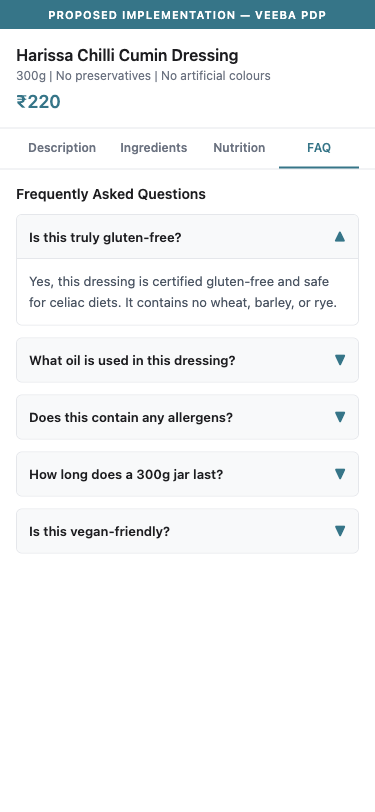
- The PDP shows tabbed content (Product Description, Ingredients, Nutritional Information) but no FAQ tab or accordion section
- Products making health claims (No Preservatives, Gluten-Free, No Synthetic Colours) invite specific purchase-blocking questions: 'Is this truly gluten-free for celiacs?', 'What oil is used in the mayo?', 'Is this safe for diabetics?'
- Without answers, shoppers who hit these questions leave to search elsewhere — often not returning
- Benchmark context: FAQ on PDP adopted by 5/10 top F&B stores (50%); Chomps has 7 product-specific Qs, Athletic Brewing has 5
- FAQ content also contributes to long-tail SEO — ingredient and allergen questions are actively searched
- Add a collapsible FAQ section below the product tabs for each product: include 5–7 product-specific questions (ingredients sourcing, allergen status, shelf life, usage suggestions, certifications)
- Prioritize FAQ for top-selling products first — mayonnaise, ketchup, and Harissa dressing likely generate the most pre-purchase questions
- Link the FAQ answers to Veeba's FSSAI certification and safety data where relevant — this converts a concern into a trust signal
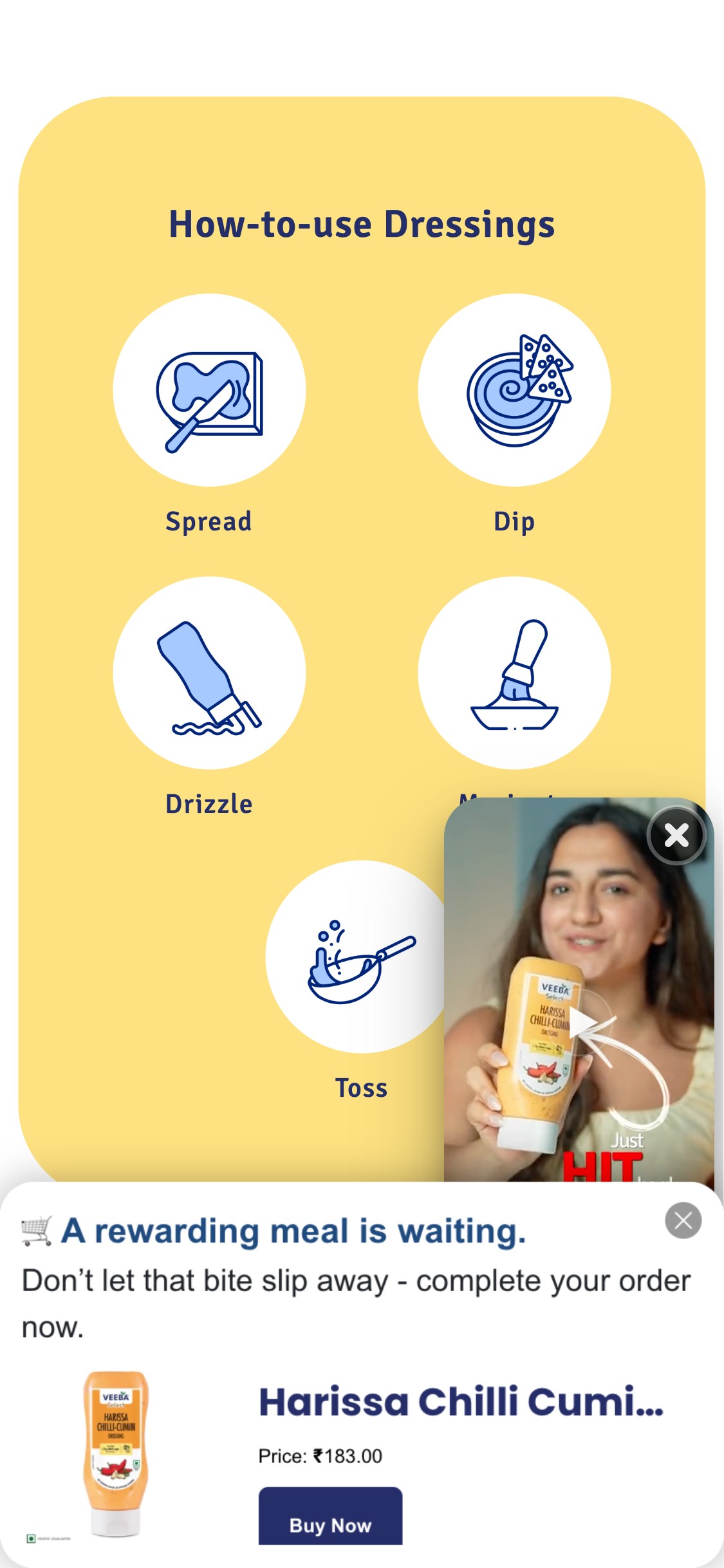
- The PDP 'How-to-use Dressings' section shows 4 generic usage icons: Spread, Dip, Drizzle, Toss — no specific dish names, no recipe links, no meal inspiration
- For a condiment brand, a shopper's first question is 'what do I cook with this?' — answering it on the PDP removes a key purchase objection
- Athletic Brewing shows 'Drink It With: Burgers, Pizza, Tacos' — the same pattern applies naturally to Veeba's Harissa Dressing ('Great with: Grilled chicken, Shakshuka, Falafel wraps')
- Recipe integration increases time-on-page, reduces bounce, and creates a new organic content channel — Veeba's existing Instagram content (food videos) could feed directly into PDP recipe cards
- The product description does mention usage context ('perfect for drizzling over grilled meats, tossing with roasted vegetables') but this is buried in prose, not scannable
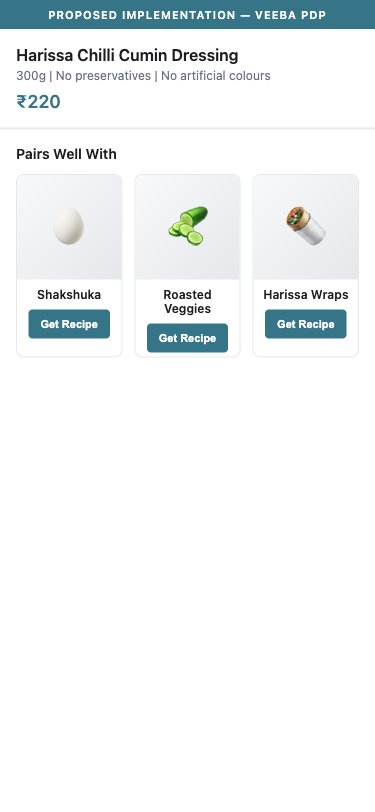
- Add a 'Pairs Well With' or 'Recipe Ideas' section on each PDP: 3–5 dish names with a thumbnail image and a 'Get Recipe' link
- Surface recipe content from Veeba's Instagram/YouTube directly on PDP using a social feed widget or embedded video section
- For the Harissa Dressing: add specific dish pairings — 'Harissa Shakshuka', 'Harissa Roasted Cauliflower', 'Harissa Chicken Wrap' — with a short 2-step recipe for each
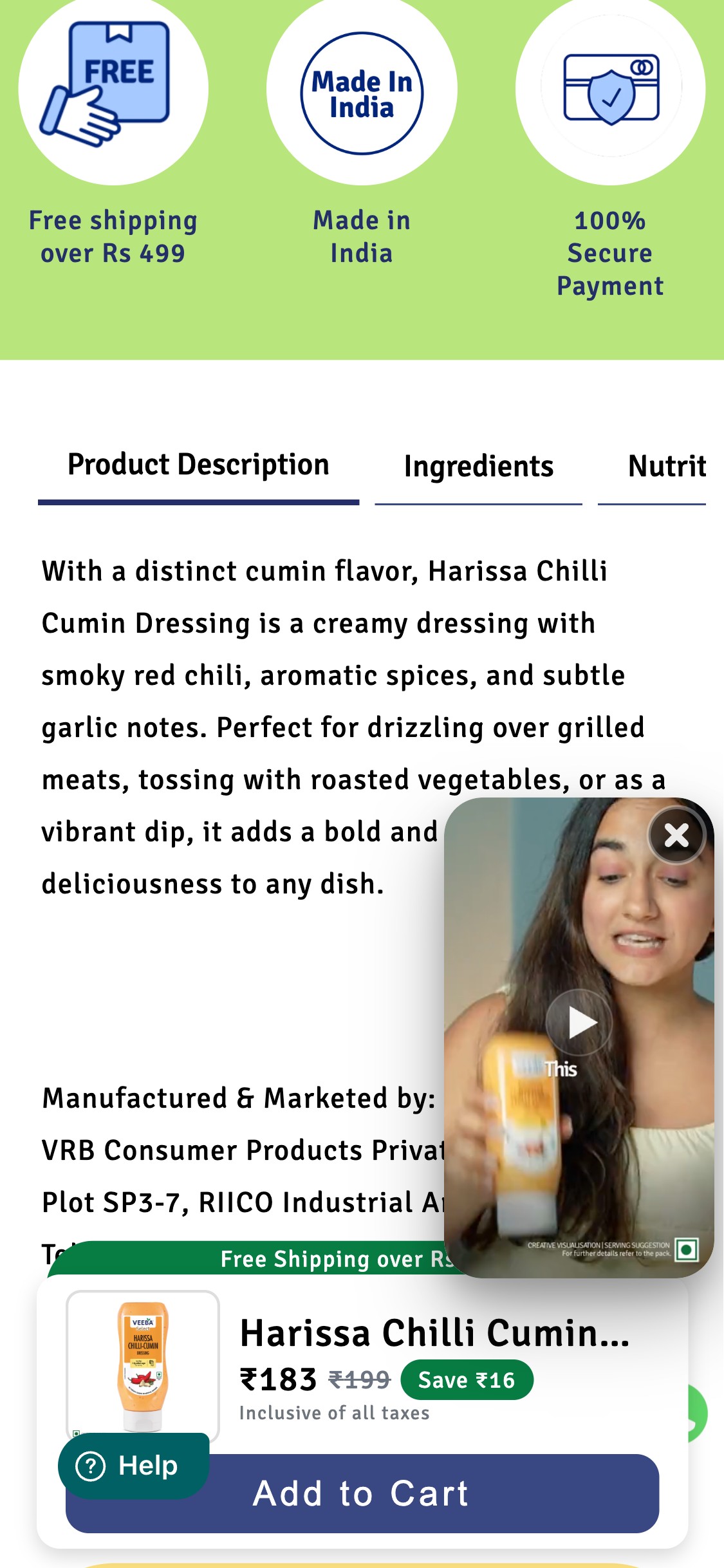
- A social proof video widget (showing an influencer holding a Veeba product with 'Just HIT' text overlay) appears as a floating overlay on the right side of the PDP, covering approximately 40% of the visible content area
- The pop-in is present across every PDP scroll depth — it persists through the product image area, the ATC section, the Bundle It With section, and the nutrition tab
- While the video is closeable (×), it auto-appears again on subsequent scrolls — the close action is not persistent
- The 'Bundle It With' cross-sell section (a revenue-generating feature) is consistently obscured by this pop-in, likely reducing cross-sell interaction
- The pop-in is particularly disruptive on mobile where screen real estate is limited — the usable content area is reduced to approximately 55% of viewport width when the video is active
- Relocate the social proof video to a dedicated section within the page flow (e.g., below the ATC button, within a 'See It In Action' section) rather than as a floating overlay
- If overlay format is kept, configure it to appear once per session and remain permanently dismissed after user closes it
- A/B test: video in-page section vs. video overlay — measure conversion rate impact; the in-page version is likely higher-converting because it does not obscure other content
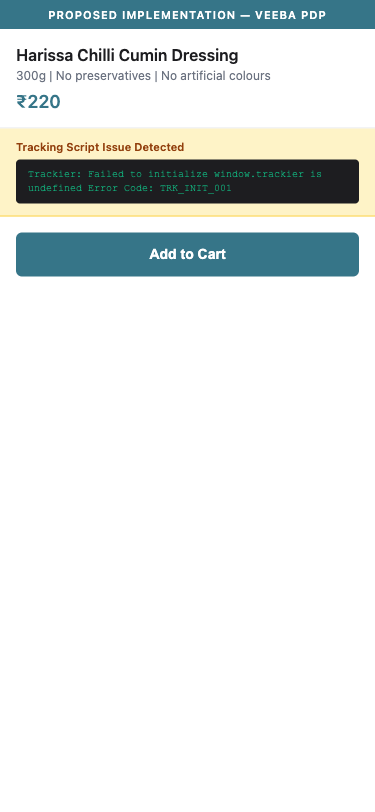
- Browser console logs on every PDP: 'TypeError: window.TrShopifyWrapper.trackConv is not a function' — this fires from a Trackier affiliate tracking script
- Trackier is an affiliate/influencer attribution platform — the error means view/conversion events are not reaching the Trackier dashboard
- If Veeba runs influencer campaigns or affiliate partnerships that use Trackier links, none of those conversion credits are being recorded correctly
- The error also creates a secondary risk: if Trackier is also used for Offer18 (a second affiliate platform detected), both platforms may have incomplete data
- This is a silent failure — the site appears to work normally but attribution data is being lost with every PDP view
- Audit the Trackier Shopify app installation — the trackConv method is missing from the loaded TrShopifyWrapper object, suggesting a version mismatch between the app script and the Shopify theme integration
- Contact Trackier support with the error: they will need to update the Shopify tracking script or reinstall the app
- Verify Offer18 tracking independently — if both platforms are installed for different affiliate programs, ensure they do not conflict
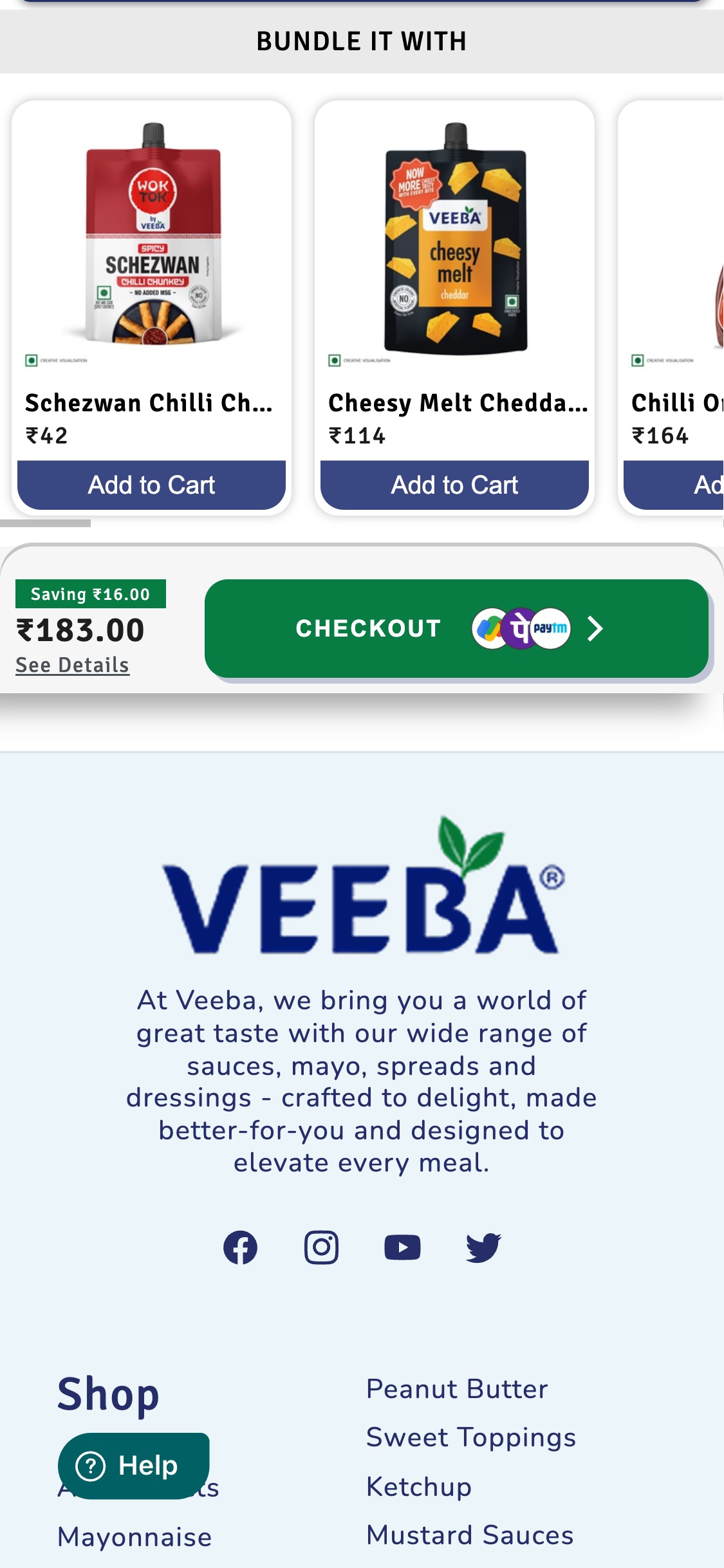
- The cart checkout area shows: cross-sell cards (Bundle It With), a price summary ('Saving ₹16.00 / ₹183.00'), and the CHECKOUT button with payment icons embedded in the button itself (GPay, Truecaller, Paytm)
- No 'Secure Checkout' text, no lock/shield icon, no '100% Safe Payment' reassurance copy appears in the area directly above or below the checkout button
- No COD (Cash on Delivery) availability callout near checkout — Indian shoppers commonly check for COD availability before proceeding
- The only trust content exists on the PDP in a separate green band ('Free Shipping over Rs 499 | Made in India | 100% Secure Payment') — this context is lost when the user reaches the cart
- Industry benchmark CART-02: trust indicators must appear within 200px of the checkout CTA
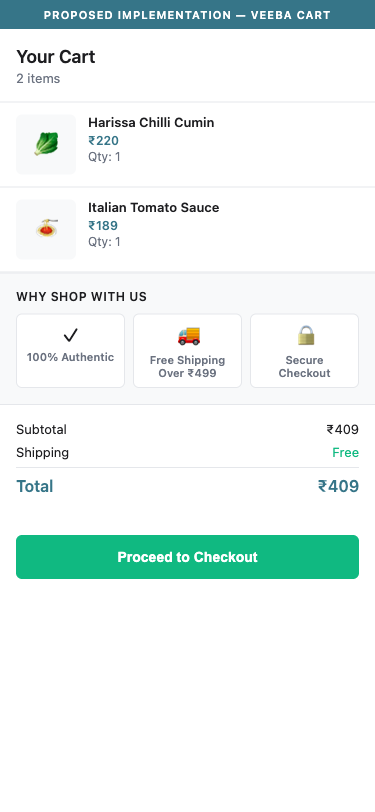
- Add a trust strip immediately above or below the checkout button: lock icon + 'Secure Checkout via Razorpay' | shield icon + '100% Safe Payment' | COD badge + 'Cash on Delivery Available'
- Show the top 3 payment method icons (UPI, Cards, COD) as logos near the checkout button — not embedded inside the button text
- Add '14-day easy returns' or 'Hassle-free refunds' micro-copy near checkout to reduce the risk perception of completing the order
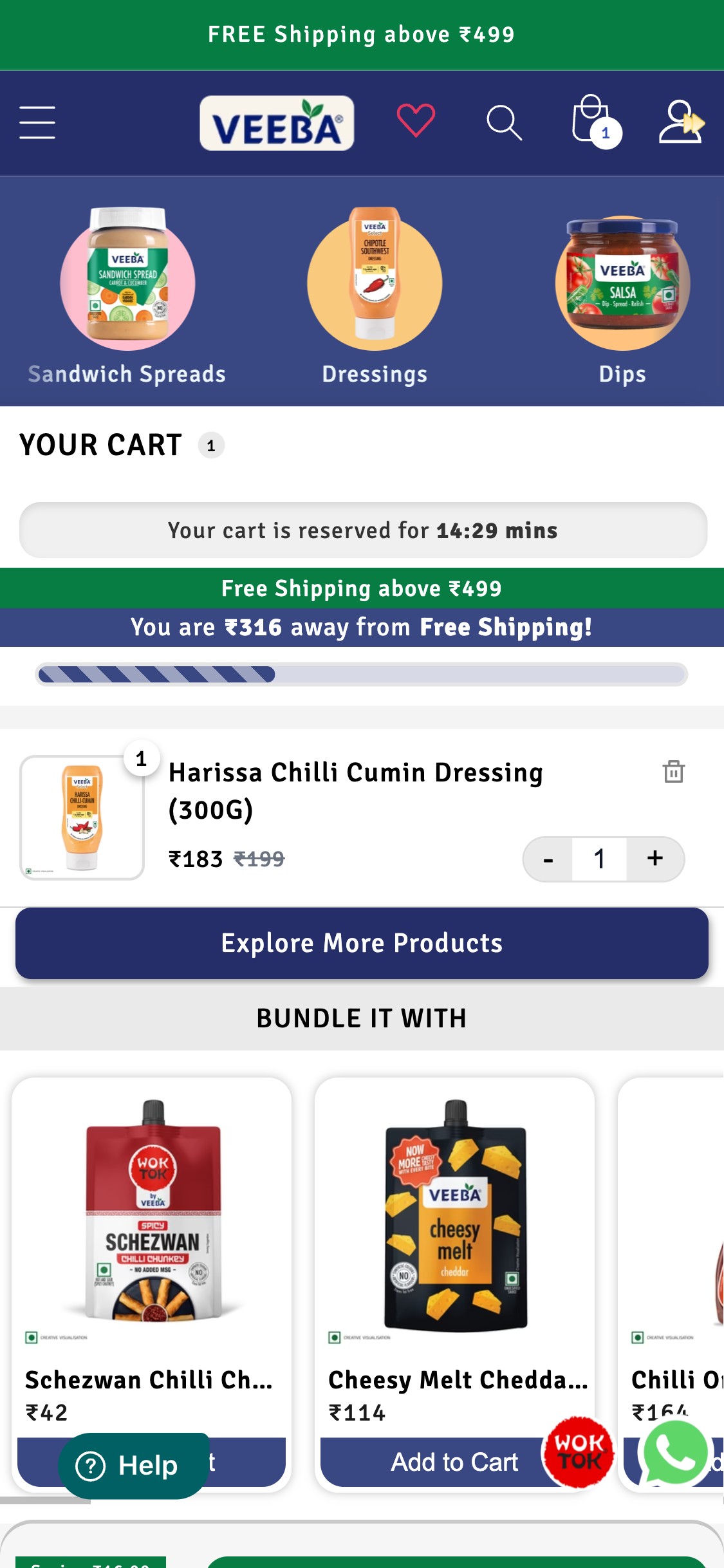
- The Veeba cart page (/cart) does not show any coupon code, discount code, or promo code input field
- The cart shows: urgency timer ('Your cart is reserved for 14:29 mins'), free shipping progress bar, cart items, and Bundle It With cross-sell — but no discount code field
- Veeba runs WhatsApp campaigns and likely influencer promotions — if those campaigns include coupon codes, users cannot apply them until the checkout flow (if at all)
- The Shiprocket FastRR checkout overlay may have a coupon field within it, but it is not surfaced at the cart stage — users who abandon before reaching checkout cannot apply codes
- Benchmark context: discount code fields in cart are present on most F&B stores running promo campaigns as they reduce checkout abandonment
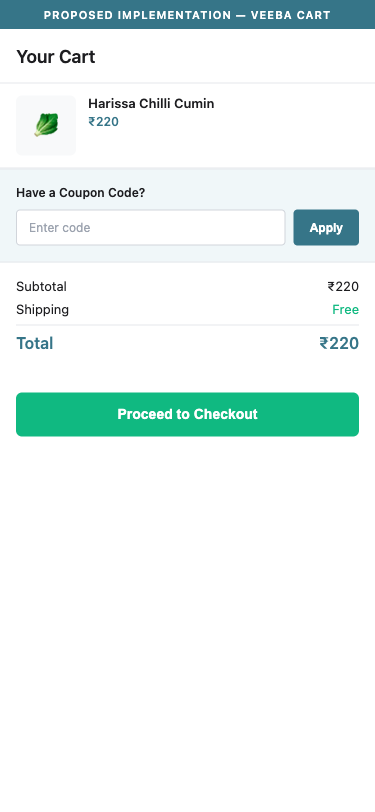
- Add a 'Have a coupon code?' collapsible input field on the cart page, above the checkout button
- If Shiprocket's checkout handles coupon application, consider surfacing the code input in the cart as a preview step ('Your code will be applied at checkout')
- Test a persistent coupon input vs. a collapsed 'Enter promo code' toggle — collapsed reduces visual clutter while still accessible
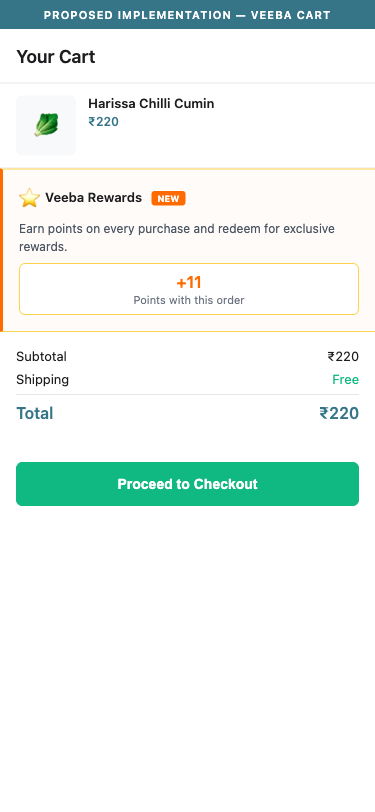
- No loyalty program, rewards points, or cashback scheme is visible anywhere on the site — header, cart, PDP, homepage — despite Veeba selling high-repurchase condiment products
- The cart page is a prime moment to introduce a loyalty prompt ('You're 2 purchases away from Veeba Gold status') — this moment is unused
- Benchmark context: loyalty programs present on 5/10 top F&B stores; for India, 1/5 India stores have it — making it a meaningful differentiator in the Indian market
- Condiment purchases are habitual — the first-order discount (Contlo popup: '10% off') acquires the customer, but there is no mechanism to retain them beyond email re-targeting
- A points-per-order system (e.g., 1 point per ₹10 spent, 100 points = ₹100 off) would dramatically increase repeat purchase rates for a ₹150–₹289 average order value
- Implement a loyalty program via Smile.io or LoyaltyLion — surface points balance in the header and cart
- Launch 'Veeba Rewards': earn points on every purchase, double points on new product launches, bonus points for reviews — tie into the Judge.me review system
- Surface loyalty messaging in the cart: 'Complete this order to earn X points toward your next Veeba discount'
App Ecosystem
What's installed vs what's missing from best-in-class Food & Beverage stores
Present (11)
Missing (5)
App Stack Assessment
Veeba has a well-populated app stack with reviews (Judge.me), email CRM (Contlo), heatmaps (Clarity), GA4, a custom checkout (Shiprocket FastRR), wishlist (iWish), and customer support (Freshworks). The critical gap is in recurring revenue infrastructure: no subscription app and no loyalty program for a brand that sells consumable condiments with natural monthly repurchase cycles. The broken Trackier affiliate tracking is the most urgent fix — every PDP visit fires a JS error that prevents influencer/affiliate conversions from being recorded. The dual-affiliate setup (Trackier + Offer18) also needs a conflict audit to prevent double-attribution.
Confidential — Prepared for Veeba by Growisto | May 2026